Remote Work Setup: A Complete Guide to Creating a Productive Workspace at Home
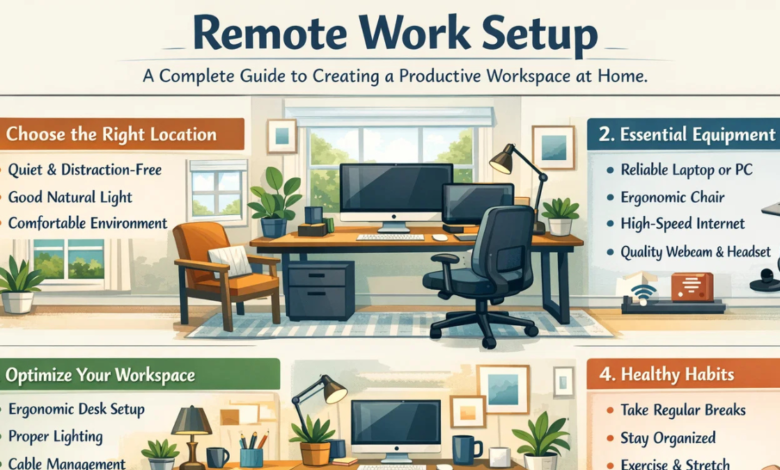
Remote Work Setup.The way people work has changed a lot in recent years. Many professionals now work from home instead of going to a traditional office. Because of this shift, building a proper remote work setup has become very important. A well-designed workspace can improve focus, boost productivity, and help maintain a healthy work–life balance.


A remote work setup is simply the space, tools, and environment a person creates to do their job from home or any remote location. It includes furniture, technology, lighting, internet connection, and even the habits you follow while working.
When your workspace is comfortable and organized, work becomes easier and more enjoyable. On the other hand, a poor setup can cause stress, distractions, and even health problems.
This guide will explain everything you need to know about building the perfect remote work setup. From choosing the right desk to improving your internet speed, you’ll learn simple and practical tips that anyone can follow.
Understanding the Concept of a Remote Work Setup
A remote work setup refers to the complete working environment a person creates outside a traditional office. Most people create this setup in their homes, but it can also be in coworking spaces, libraries, or cafés.
A proper setup usually includes:
- A dedicated workspace
- Reliable computer or laptop
- Stable internet connection
- Comfortable chair and desk
- Good lighting
- Productivity tools and software
The goal of a remote work setup is to make working from home as efficient as working in a professional office.
When done correctly, it allows workers to stay organized, productive, and comfortable throughout the day.
Why a Good Remote Work Setup Matters
Some people believe they can work anywhere with just a laptop. While that may work for short periods, long-term productivity requires a proper workspace.
Here are several reasons why a good remote work setup matters:
Better Productivity
A dedicated workspace helps you stay focused. When everything you need is within reach, tasks become faster and easier to complete.
Improved Health
Sitting in an uncomfortable position for hours can cause back pain, neck strain, and fatigue. A proper setup supports better posture.
Work-Life Balance
Having a separate workspace helps your brain understand when it’s time to work and when it’s time to relax.
Professional Communication
Good equipment such as microphones and webcams improves online meetings and communication with coworkers.
In short, a thoughtful remote work setup can make your workday smoother and more enjoyable.
Choosing the Right Location for Your Remote Work Setup
Before buying equipment, the first step is choosing where your workspace will be.
Your remote work setup should ideally be in a quiet area where distractions are minimal.
Good places for a home workspace include:
- A spare room
- A corner of the living room
- A quiet bedroom corner
- A study room
Tips for selecting the right location
- Choose a place with natural light
- Avoid high-traffic areas
- Ensure good internet signal
- Keep the space clean and organized
Even a small corner can become a powerful remote work setup if it is planned well.
Essential Equipment for a Remote Work Setup
Technology plays a major role in any remote job. Without the right tools, even simple tasks can become difficult.
Here are the most important tools every remote work setup should have:
Computer or Laptop
Your computer is the heart of your workspace. Choose one that is powerful enough for your job tasks.
High-Speed Internet
A stable internet connection ensures smooth communication, file transfers, and online meetings.
Webcam
Many remote jobs require video meetings. A good webcam helps maintain a professional appearance.
Microphone or Headset
Clear audio improves communication and prevents misunderstandings during meetings.
External Monitor
An additional screen can greatly increase productivity by allowing you to work on multiple tasks at once.
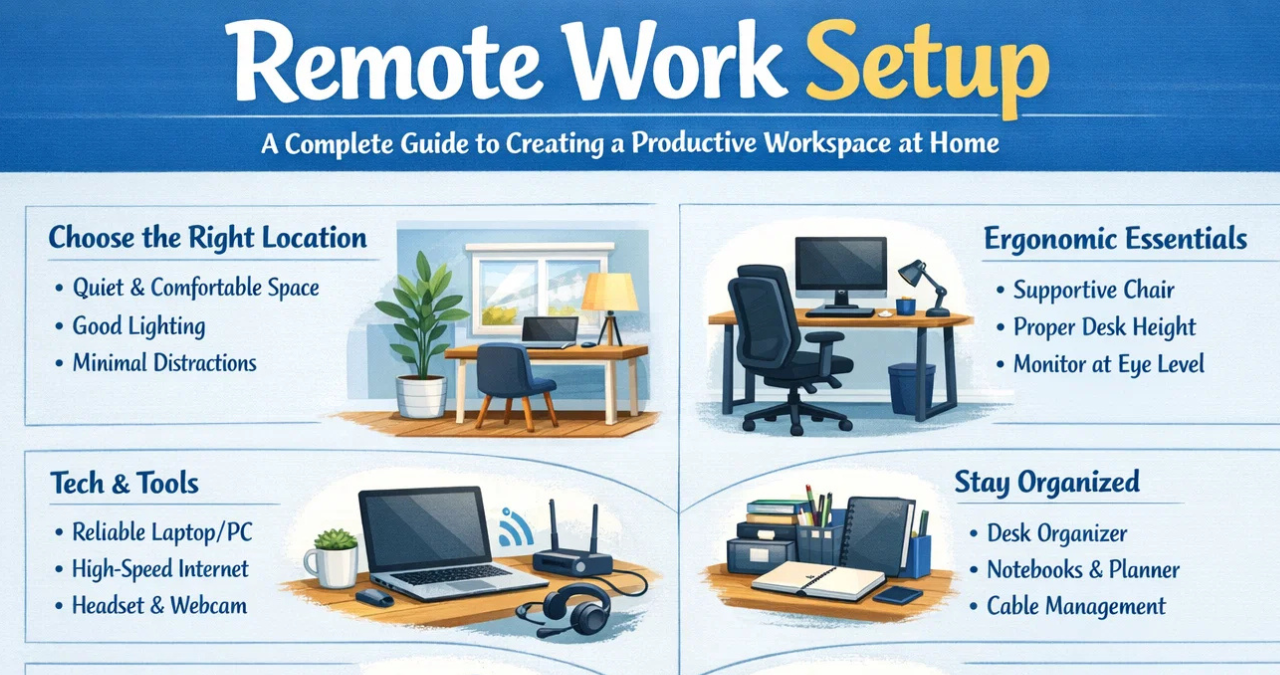
Furniture That Supports a Comfortable Remote Work Setup
Furniture is often overlooked, but it plays a big role in comfort and health.
A poor chair or desk can lead to physical discomfort after long working hours.
Important furniture items include
Ergonomic Chair
A good chair supports your back and encourages proper posture.
Look for chairs that offer:
- Adjustable height
- Lumbar support
- Comfortable cushioning
Proper Desk
Your desk should provide enough space for your computer, keyboard, and other tools.
Keyboard and Mouse
External keyboards and ergonomic mice reduce strain on your wrists and fingers.
Investing in proper furniture makes your remote work setup healthier and more sustainable.
Lighting and Environment in a Remote Work Setup
Lighting affects both productivity and mood. Poor lighting can cause eye strain and headaches.
Types of lighting to consider
Natural Light
Sunlight improves mood and energy levels. Try placing your desk near a window.
Desk Lamp
A good desk lamp helps during evening work or cloudy days.
Soft Ambient Lighting
Avoid harsh lighting that creates glare on your computer screen.
Environment tips
- Keep your workspace tidy
- Add plants for a calming atmosphere
- Maintain good air flow
A pleasant environment can make your remote work setup feel welcoming and inspiring.
Organization Tips for an Efficient Remote Work Setup
Clutter can easily destroy productivity. A clean and organized workspace keeps your mind focused.
Useful organization ideas
- Use cable organizers to manage wires
- Keep notebooks and documents within reach
- Use storage boxes or drawers
- Maintain a daily task list
Many remote workers also use digital tools to stay organized, such as:
- Project management software
- Online calendars
- Task tracking apps
These tools help transform a simple desk into a powerful remote work setup.
Table: Basic Components of a Remote Work Setup
| Component | Purpose | Example |
|---|---|---|
| Computer/Laptop | Main work device | Writing, designing, coding |
| High-Speed Internet | Communication and data transfer | Video meetings, file sharing |
| Desk | Work surface | Holds computer and tools |
| Ergonomic Chair | Comfort and posture support | Prevents back pain |
| Monitor | Expands screen space | Multitasking |
| Headset | Clear communication | Online meetings |
| Lighting | Reduces eye strain | Desk lamp or natural light |
| Storage | Organizes materials | Drawers, shelves |
This table highlights the core elements that form a successful remote work setup.
Digital Tools That Improve a Remote Work Setup
Besides physical equipment, digital tools also play a huge role in remote productivity.
Some common categories include:
Communication Tools
These allow teams to stay connected.
Examples include:
- Video conferencing platforms
- Instant messaging apps
- Email services
Project Management Tools
These help track tasks and deadlines.
They allow teams to assign work, monitor progress, and collaborate easily.
Cloud Storage
Cloud platforms allow workers to store and access files from anywhere.
This is essential for a flexible remote work setup.
Creating Healthy Habits in a Remote Work Setup
Even the best workspace won’t help if healthy habits are ignored.
Working remotely can sometimes blur the line between work and personal life.
Healthy habits to follow
- Start work at the same time each day
- Take short breaks every hour
- Stretch and move regularly
- Avoid working from bed
- Stay hydrated
Simple routines can make your remote work setup more balanced and productive.
Common Mistakes to Avoid in a Remote Work Setup
Many beginners make small mistakes that affect productivity.
Here are some common problems to watch out for:
Working Without a Dedicated Space
Working from a couch or bed may feel comfortable, but it reduces focus.
Poor Internet Connection
Unstable internet can interrupt meetings and delay work.
Ignoring Ergonomics
Bad posture can lead to long-term health issues.
Too Many Distractions
Television, mobile phones, and noisy environments can reduce efficiency.
Avoiding these mistakes helps maintain a successful remote work setup.
The Future of Remote Work Setup
Remote work is expected to grow even more in the future. Many companies now offer flexible work options to employees.
Advancements in technology will continue to improve how people work from home.
Future trends may include:
- Virtual reality workspaces
- Smarter productivity tools
- Improved remote collaboration software
- AI-powered task management
Because of these changes, building a flexible remote work setup will remain an important skill for modern workers.
Final Thoughts on Building the Perfect Remote Work Setup
Creating an effective remote work setup does not require expensive equipment or a large office. What matters most is thoughtful planning, organization, and comfort.
By choosing the right location, investing in ergonomic furniture, using reliable technology, and developing healthy habits, anyone can create a workspace that supports productivity and well-being.
Remember, the goal of a remote work setup is to make your work easier, more efficient, and more enjoyable. With the right environment and tools, working from home can become a positive and rewarding experience for people around the world.
In the end, a carefully planned remote work setup helps professionals stay focused, connected, and successful in today’s evolving workplace.
You may also read
OSM Worldwide: A Complete Guide to the Global Open Mapping Community